Set up the Smart Life App
4 min readUpdated Jul 2026
SmartLife is the companion app that pairs with your Tuya-compatible NEAR devices. Follow the four steps below and you'll be running scenes in minutes.
Step 1 — Download the SmartLife app
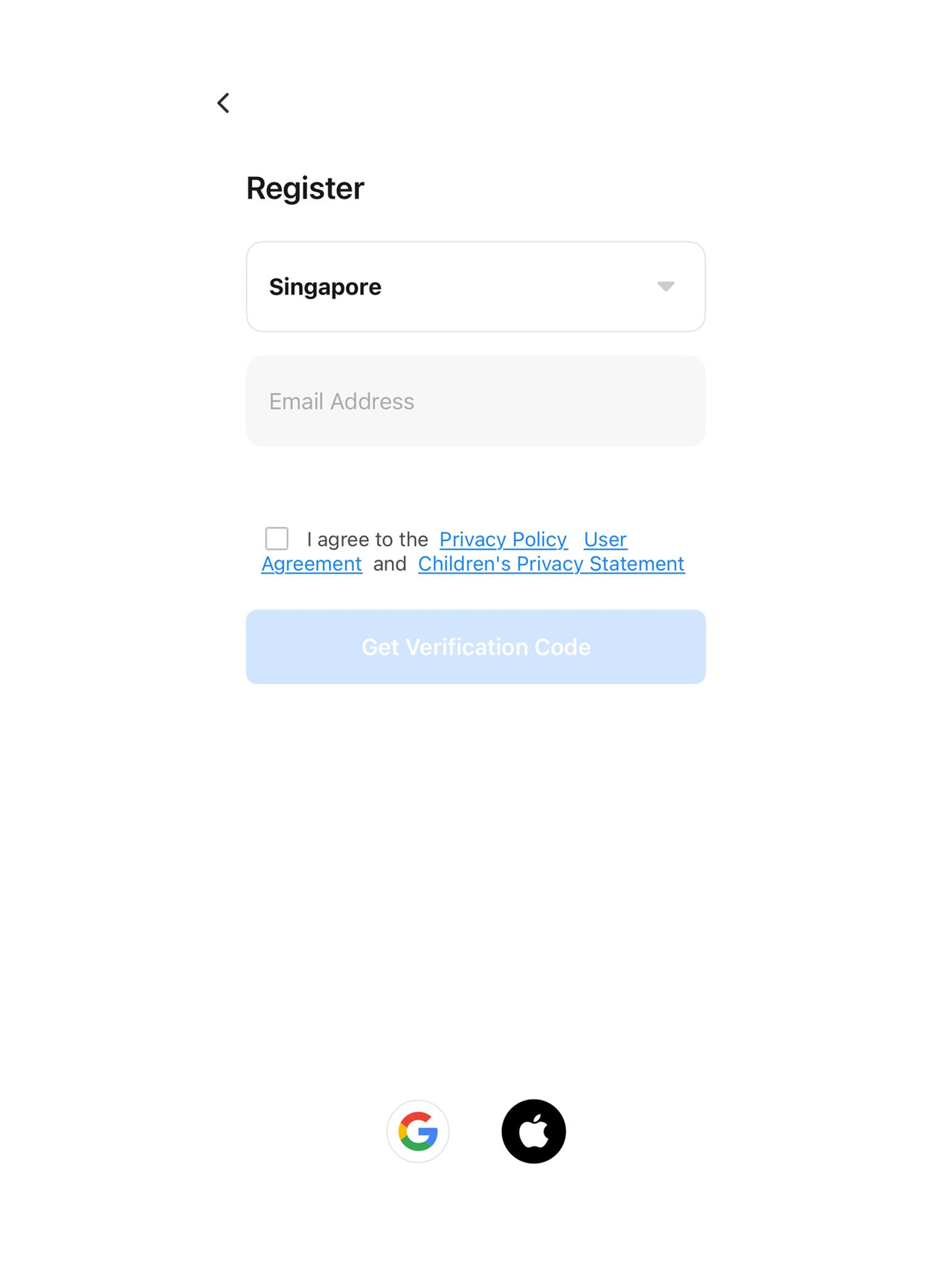
Step 2 — Create an account with your email
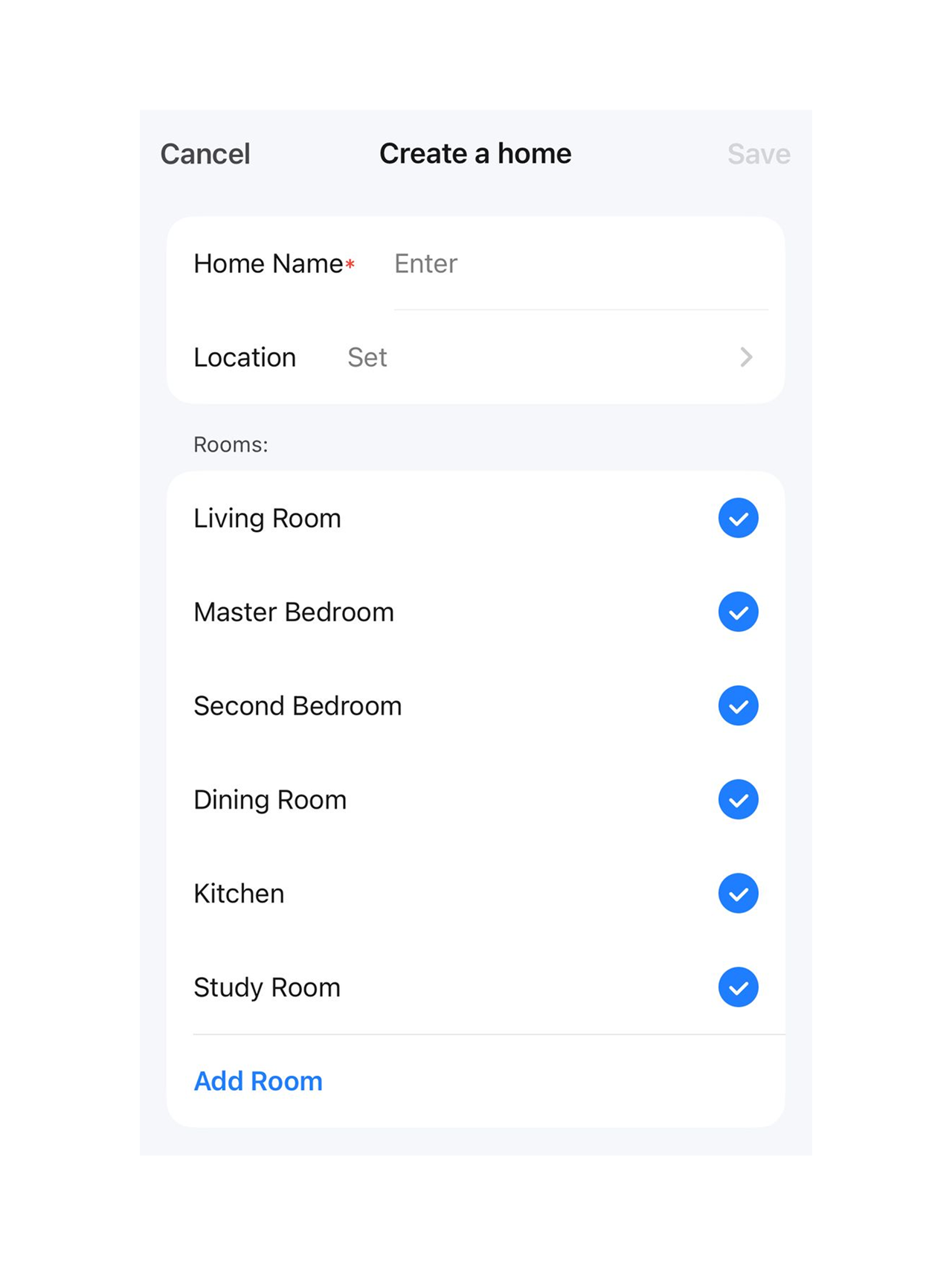
Step 3 — Create a home and add rooms
Step 4 — Add users to your home
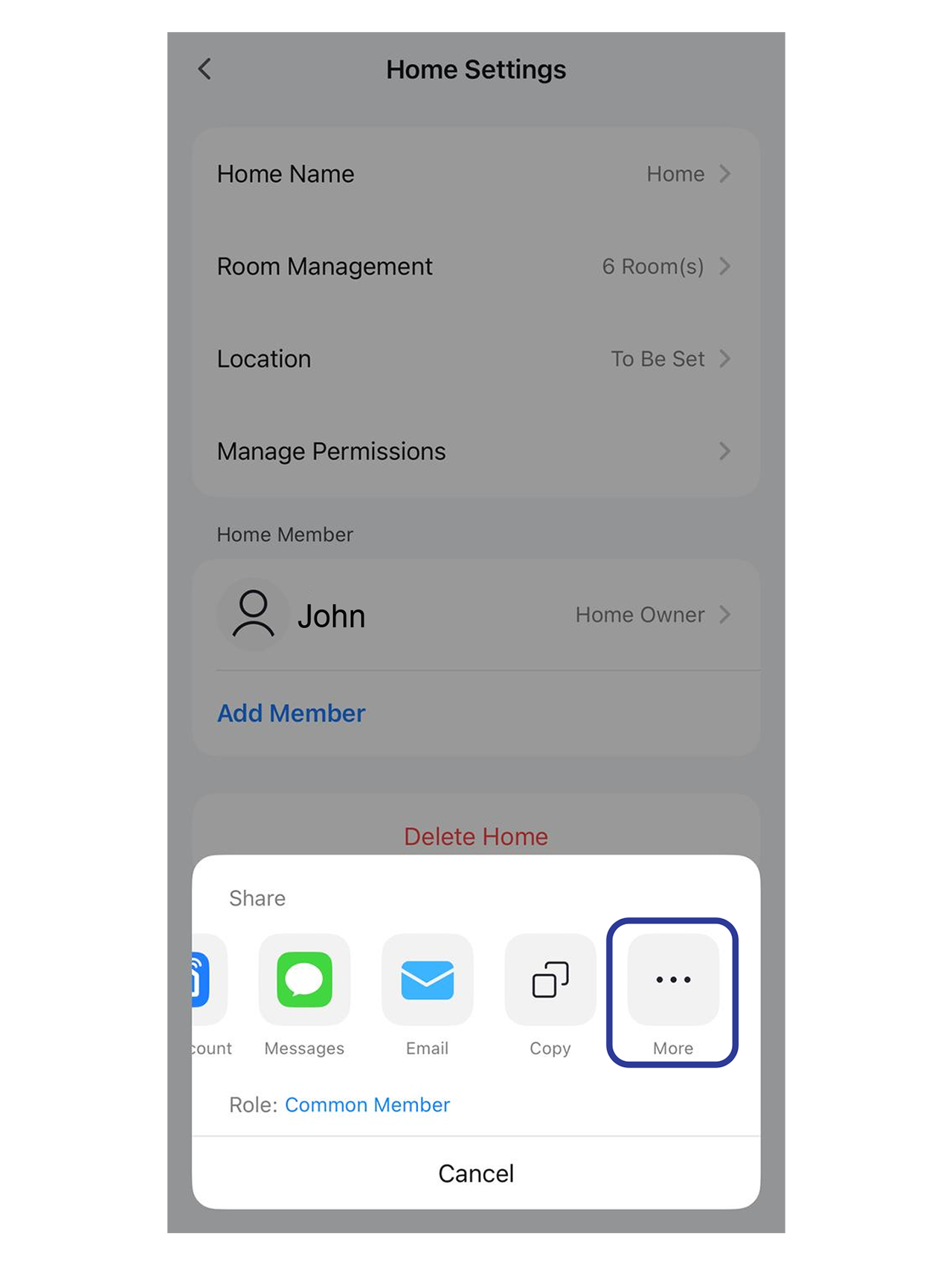
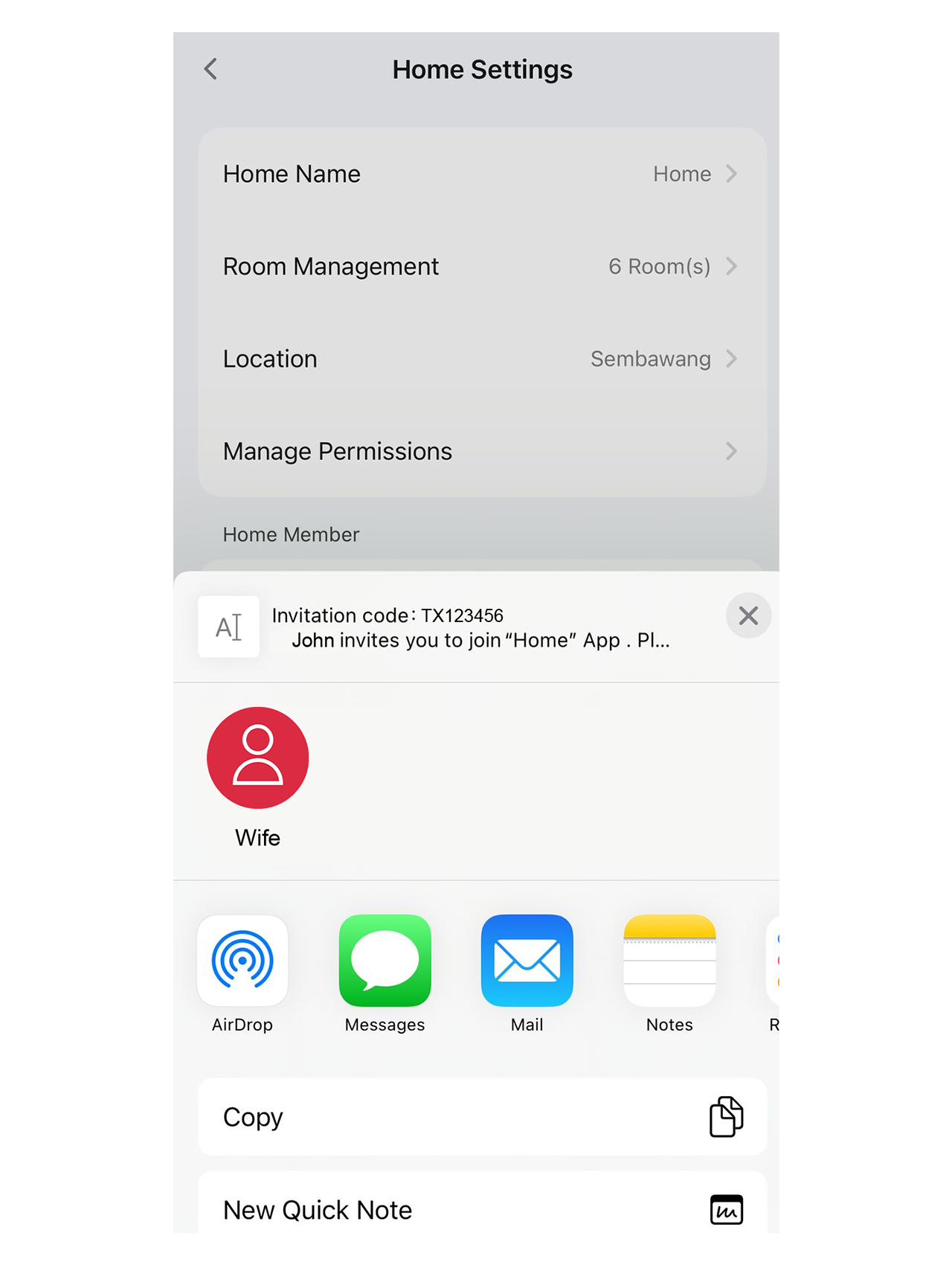
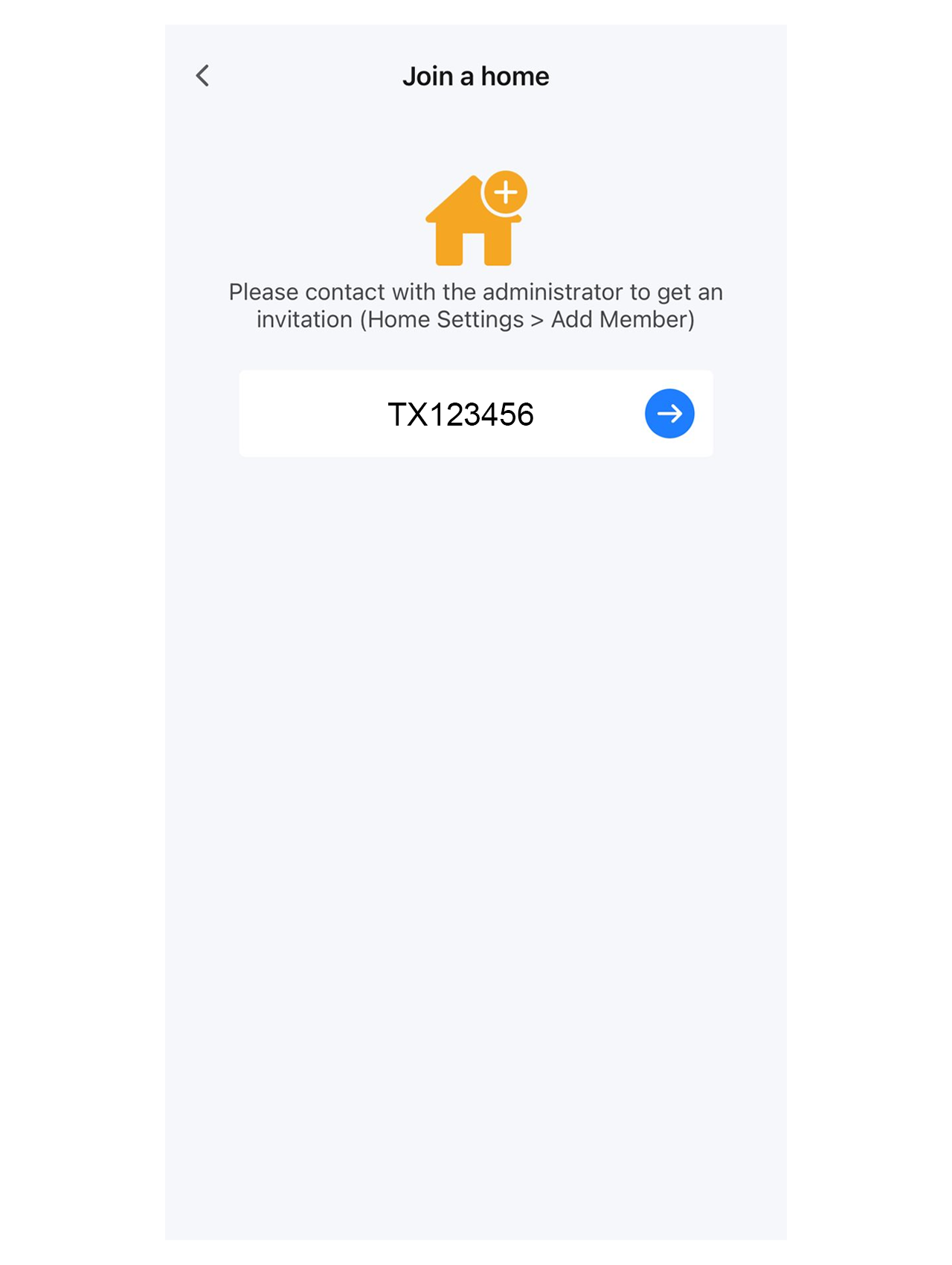
There are two ways to invite family members. Both live under Home icon → Home Management → Add Member.
Method 1: Add a registered account directly
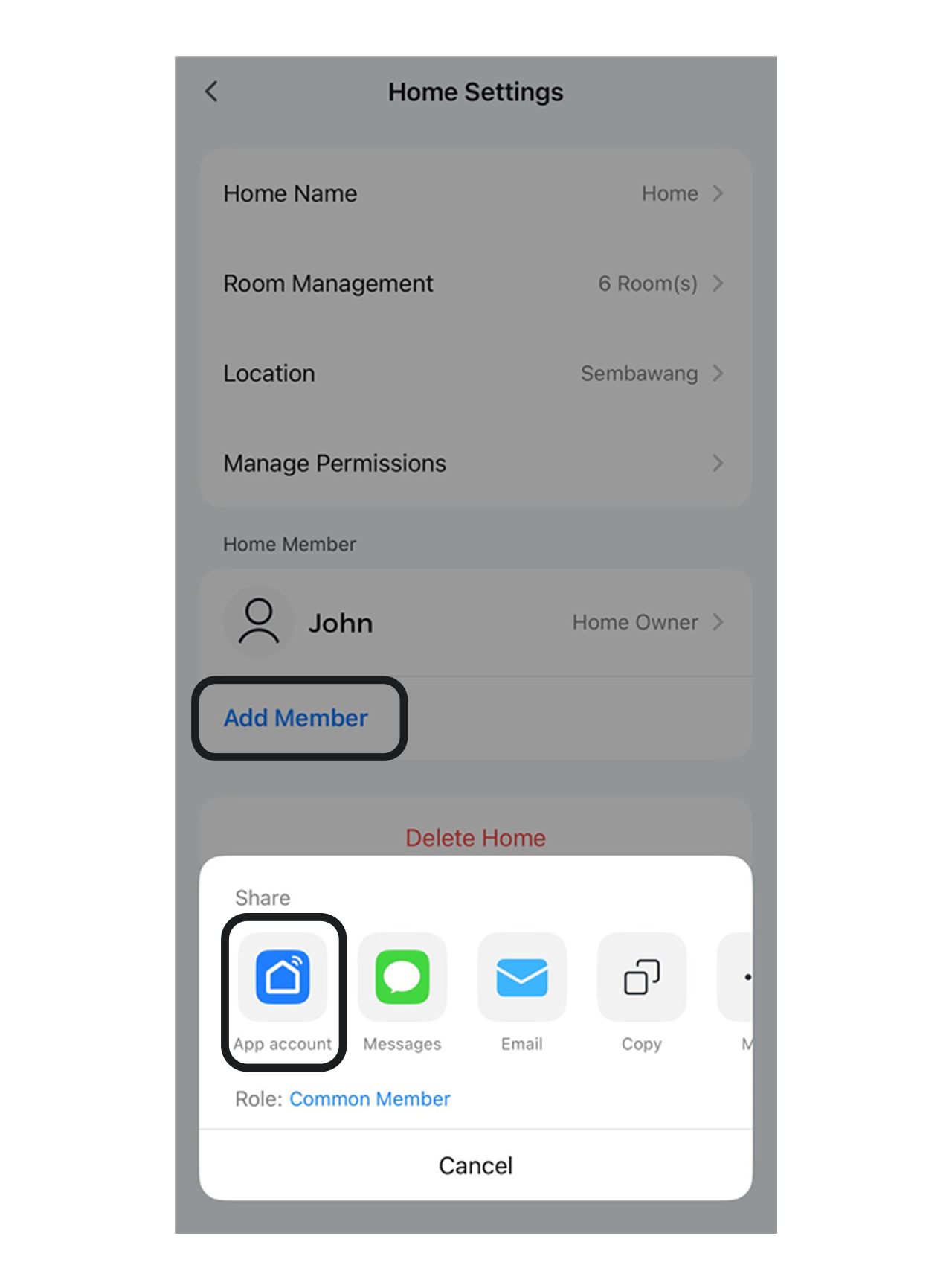
Method 2: Send an invitation code\
You're all set
Once your home, rooms and members are in place, you're ready to pair devices. See the "Pair a Zigbee hub" and "Add a Zigbee bulb, switch, or sensor" guides next.
Did this help?
If you're still stuck, message us on WhatsApp and we'll walk you through it.